🎉 Up to 70% Off Selected ItemsShop Sale
vMix HD Live Production, Streaming & Mixing Software (Download)
HomeStore

vMix HD Live Production, Streaming & Mixing Software (Download)

vMix HD Live Production, Streaming & Mixing Software (Download)

vMix SCSI-VMIX-HD Overview

  • 1Description
  • 2Supports Live and Virtual Input Sources
  • 3Live Web Streaming
  • 4Effects and Processing
  • 5User Interface
  • 6Other Features

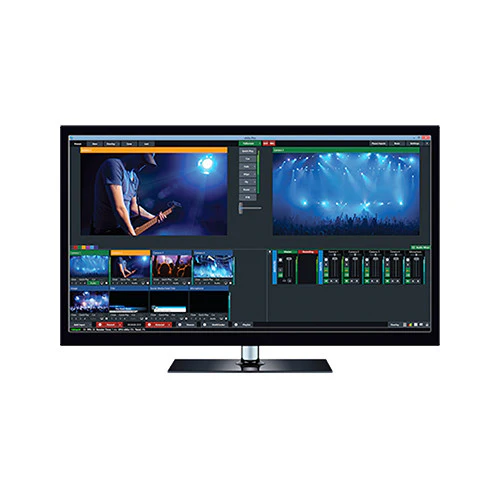
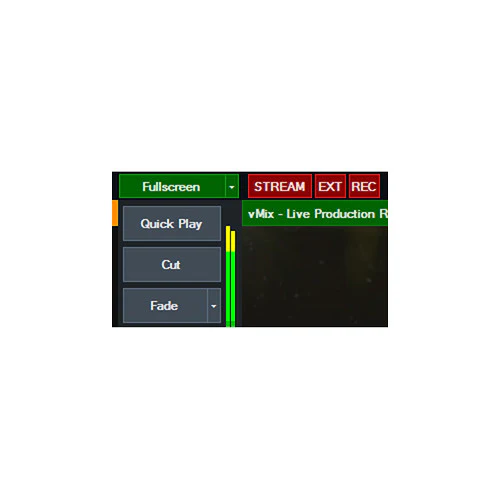
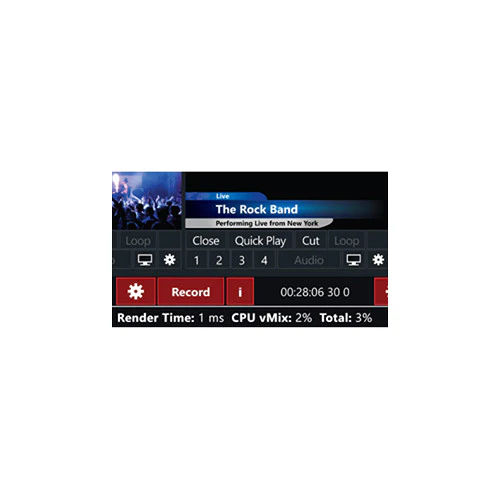
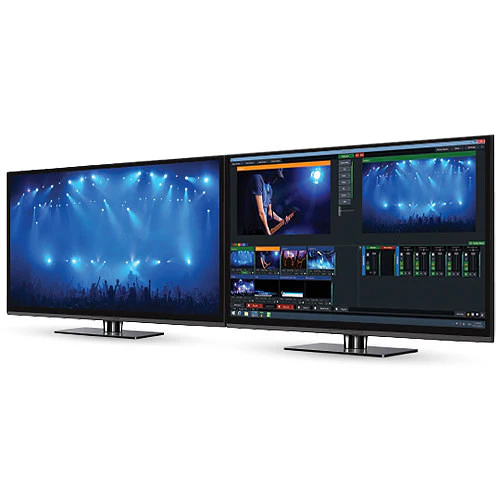
The multifunction HD Live Production, Streaming & Mixing Software from vMix can switch between multiple HD sources�the maximum number depending on the limitations of the computer, its GPU, and the video capture hardware installed. It can stream a live program feed out to the web over RTMP, RTSP, or Flash and can also record locally at up to HD resolution in AVI, MP4, MPEG-2 or WMV. If a video output is available, it can send out a full-quality program feed for local presentation or recording separately.

Capable of more than just basic switching, effects and chroma keying are also built-in. You can add titles, incorporate virtual sets, or apply templates to give productions network-worthy results. This version of the software also includes the vMix Call feature, which allows you to add one remote guest to your production who are connecting with a web browser on Mac or Windows or with iOS or Android devices. vMix Call features include NDI support, return video/audio for each guest up to 1080p, encryption, selectable outputs, and audio mixing.

There is a built-in audio mixer so you won't have to rely on a separate hardware mixer. Audio can be sourced via embedded audio, the capture device's audio inputs, through a separate audio interface, or even be played from a pre-recorded audio file.

vMix Live Production software runs on Windows and works with a variety of video capture and I/O devices, including models from Blackmagic Design, Matrox, AJA, and more.

Supports Live and Virtual Input Sources
Virtually Unlimited Number of Input Sources Supported
The software supports up to 1000 sources, including virtual as well as hardware sources. In practice, the total number will depend on the limitations of your computer, GPU, and capture hardware. An average workstation configuration with dedicated GPU can support about eight HD sources
Camera
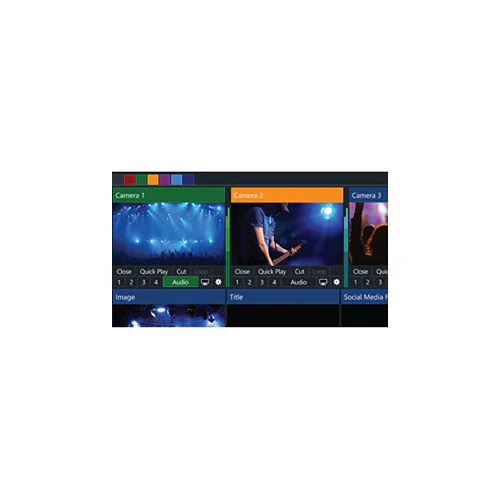
Use a video I/O card such as a Blackmagic or AJA product to capture from a live camera or external video feed. Up to HD resolution is supported, depending on the limitations of the card and computer hardware.

FireWire (HDV/DV) capture is also supported; however, there will be a significant delay.
Remote Screen Capture
Use the desktop from a Mac or Windows computer connected to the same network as a computer running vMix as a virtual input. Ideal for PowerPoint and Skype.

Note: Audio Capture support for Skype and other videoconferencing software is available under Windows 7.
Play from Files
Previously recorded footage can be treated as an input source. Supported file types include AVI, MP4, H.264, MPEG-2, WMV, and QuickTime.
DVDs
DRM-free DVD content can be incorporated into the program feed, complete with menu navigation.
Audio Files
Use sound cues, music tracks, and other aural elements to spice up your production. vMix plays back MP3 and WAV files.
External Audio
Use the audio accompanying your video, a separate audio interface, or your computer's sound card to capture live sound.
Video and Audio Playlists
Combine multiple video and audio files into a bundle that will play on a single input channel.
Other Supported Media
In addition to audio and video, vMix supports PowerPoint, photos and other still image graphics, solid colors, and more.
Live Web Streaming
Streaming Protocols
For compatibility with most CDNs (content delivery networks), vMix supports RTSP, RTMP, and Flash. Stream to your favorite streaming providers, including UStream and YouTube Live.
Virtual Capture
Enables streaming to third-party software such as Skype, Google Hangouts, and VLC.
Record While You Stream
Record your programs in Full HD to AVI, MP4, MPEG-2, or WMV.
Output Locally
Output the program feed via a compatible video I/O card for monitoring, presentation to a local audience, or to use a separate video recorder.
Effects and Processing
10 Transition Effects
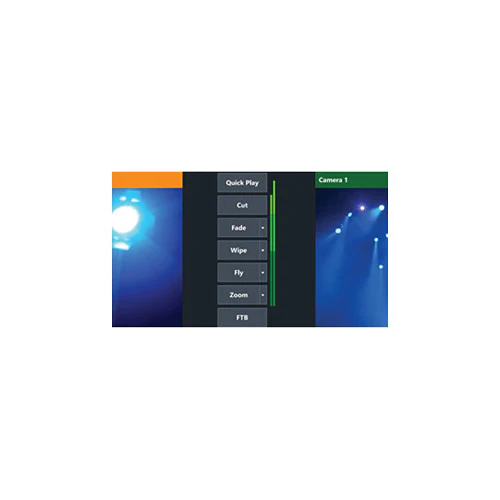
Provides built-in transition effects with four customizable transition buttons for easy access to your favorite effects. Transitions include:

  • Cut
  • Fade
  • Zoom
  • Wipe
  • Slide
  • Fly
  • CrossZoom
  • FlyRotate
  • Cube
  • CubeZoom
3D GPU Acceleration
Thanks to 3D acceleration provided by compatible graphics hardware, vMix is able to handle processing and switching of high-resolution video without overwhelming your computer's CPU.
HD Virtual Sets
Choose from four built-in virtual sets or build your own. You can zoom in or out as needed, or define custom camera presets.
vMix Call
  • Quickly add one remote guest to any production using only a web browser and a webcam
  • Supports guests connecting with Google Chrome (version 56 or higher) and Firefox (version 50 or higher) on Windows or Mac, as well as Android and iOS devices (iPhone, iPad) running iOS 11+ using the Safari browser
  • Peer-to-peer encryption between each guest and vMix ensures a secure, low-latency connection
  • Auto Mix-Minus technology automatically handles the audio mixing for each guest, preventing echo and saving time
  • Full-duplex high-quality audio for all guests and return feed
  • Built-in return video/audio feed for each guest with configurable quality up to HD 1080p 4 Mb/s
  • Select any of the four outputs (only with 4K and Pro versions) as the return video for all guests
  • Select Master, Headphones, Bus A, or Bus B as the return audio feed for all guests; all options have built-in Auto Mix-Minus technology
  • Dynamic bandwidth estimation automatically adapts the quality of each guests video on the fly to match changing network conditions
  • Video and audio for each guest is available over NDI automatically
Real-Time Chroma Key
Not only for virtual sets, you can also use the keyer to introduce background elements of your own creation�a weather map, for example.
Built-In Title Templates
Easily add and edit a title or scoreboard from the many built-in templates, or build your own using any graphics or vector editing software. Adjust text, font size, and color. Alterations update in real time.
Live Video Effects
Color correct, deinterlace, sharpen, zoom, rotate, pan, and crop any input in real time. All effects are processed in 4:4:4 32-bit color space for optimal video quality.
Multiview
Combine two or more inputs in one image using a selection of multiview presets. For example, create a side-by-side between the studio anchor and a reporter in the field. You can customize the position of each element with provided zoom, pan, rotate, and crop controls.
Four Overlay Channels
Four overlay channels allow you to add graphic elements such as logo bugs or station indents. Each overlay channel can have its own transition effect, position, and border.
User Interface
Touchscreen Web Interface
Control vMix remotely using your Microsoft Surface, Apple iPad, Android tablet, or other touchscreen device using the built-in web interface. Customizable shortcut buttons can also be created to activate common production scenarios.
Other Features
Built-In Audio Mixer
The Audio Mixer allows you to keep track of all audio sources and includes the ability to mute, follow (with auto mixing), and delay any source. A VU Meter with peaking display helps ensure each input's level stays within acceptable broadcast limits.

In the Box

  • vMix HD Live Production, Streaming & Mixing Software (Download)

Guides & Manuals

    Table of Contents
    • Description
    • Supports Live and Virtual Input Sources
    • Live Web Streaming
    • Effects and Processing
    • User Interface
    • Other Features

    vMix SCSI-VMIX-HD Specs

    General
    Delivery Method
    Download
    License Type
    Standard
    System Requirements
    Supported Operating Systems
    Windows 10
    Memory Requirement
    Windows:
    4 GB (8 GB Recommended)
    CPU Requirement
    Windows:
    3 GHz Intel Core i7 and Faster  
    Display Resolution Requirement
    Windows: 1280 x 720 (1920 x 1200 Recommended)
    VRAM Requirement
    2 GB (Recommended)
    USB Authentication Device Required
    No

    All product and company names are trademarks™ or registered® trademarks of their respective holders. Use of them does not imply any affiliation with or endorsement by them.
    $556.93
    vMix HD Live Production, Streaming & Mixing Software (Download)
    $556.93

    More Images

    vMix HD Live Production, Streaming & Mixing Software (Download) - Image 2
    vMix HD Live Production, Streaming & Mixing Software (Download) - Image 3
    vMix HD Live Production, Streaming & Mixing Software (Download) - Image 4
    vMix HD Live Production, Streaming & Mixing Software (Download) - Image 5
    vMix HD Live Production, Streaming & Mixing Software (Download) - Image 6

    vMix HD Live Production, Streaming & Mixing Software (Download)

    vMix SCSI-VMIX-HD Overview

    • 1Description
    • 2Supports Live and Virtual Input Sources
    • 3Live Web Streaming
    • 4Effects and Processing
    • 5User Interface
    • 6Other Features

    The multifunction HD Live Production, Streaming & Mixing Software from vMix can switch between multiple HD sources�the maximum number depending on the limitations of the computer, its GPU, and the video capture hardware installed. It can stream a live program feed out to the web over RTMP, RTSP, or Flash and can also record locally at up to HD resolution in AVI, MP4, MPEG-2 or WMV. If a video output is available, it can send out a full-quality program feed for local presentation or recording separately.

    Capable of more than just basic switching, effects and chroma keying are also built-in. You can add titles, incorporate virtual sets, or apply templates to give productions network-worthy results. This version of the software also includes the vMix Call feature, which allows you to add one remote guest to your production who are connecting with a web browser on Mac or Windows or with iOS or Android devices. vMix Call features include NDI support, return video/audio for each guest up to 1080p, encryption, selectable outputs, and audio mixing.

    There is a built-in audio mixer so you won't have to rely on a separate hardware mixer. Audio can be sourced via embedded audio, the capture device's audio inputs, through a separate audio interface, or even be played from a pre-recorded audio file.

    vMix Live Production software runs on Windows and works with a variety of video capture and I/O devices, including models from Blackmagic Design, Matrox, AJA, and more.

    Supports Live and Virtual Input Sources
    Virtually Unlimited Number of Input Sources Supported
    The software supports up to 1000 sources, including virtual as well as hardware sources. In practice, the total number will depend on the limitations of your computer, GPU, and capture hardware. An average workstation configuration with dedicated GPU can support about eight HD sources
    Camera
    Use a video I/O card such as a Blackmagic or AJA product to capture from a live camera or external video feed. Up to HD resolution is supported, depending on the limitations of the card and computer hardware.

    FireWire (HDV/DV) capture is also supported; however, there will be a significant delay.
    Remote Screen Capture
    Use the desktop from a Mac or Windows computer connected to the same network as a computer running vMix as a virtual input. Ideal for PowerPoint and Skype.

    Note: Audio Capture support for Skype and other videoconferencing software is available under Windows 7.
    Play from Files
    Previously recorded footage can be treated as an input source. Supported file types include AVI, MP4, H.264, MPEG-2, WMV, and QuickTime.
    DVDs
    DRM-free DVD content can be incorporated into the program feed, complete with menu navigation.
    Audio Files
    Use sound cues, music tracks, and other aural elements to spice up your production. vMix plays back MP3 and WAV files.
    External Audio
    Use the audio accompanying your video, a separate audio interface, or your computer's sound card to capture live sound.
    Video and Audio Playlists
    Combine multiple video and audio files into a bundle that will play on a single input channel.
    Other Supported Media
    In addition to audio and video, vMix supports PowerPoint, photos and other still image graphics, solid colors, and more.
    Live Web Streaming
    Streaming Protocols
    For compatibility with most CDNs (content delivery networks), vMix supports RTSP, RTMP, and Flash. Stream to your favorite streaming providers, including UStream and YouTube Live.
    Virtual Capture
    Enables streaming to third-party software such as Skype, Google Hangouts, and VLC.
    Record While You Stream
    Record your programs in Full HD to AVI, MP4, MPEG-2, or WMV.
    Output Locally
    Output the program feed via a compatible video I/O card for monitoring, presentation to a local audience, or to use a separate video recorder.
    Effects and Processing
    10 Transition Effects
    Provides built-in transition effects with four customizable transition buttons for easy access to your favorite effects. Transitions include:

    • Cut
    • Fade
    • Zoom
    • Wipe
    • Slide
    • Fly
    • CrossZoom
    • FlyRotate
    • Cube
    • CubeZoom
    3D GPU Acceleration
    Thanks to 3D acceleration provided by compatible graphics hardware, vMix is able to handle processing and switching of high-resolution video without overwhelming your computer's CPU.
    HD Virtual Sets
    Choose from four built-in virtual sets or build your own. You can zoom in or out as needed, or define custom camera presets.
    vMix Call
    • Quickly add one remote guest to any production using only a web browser and a webcam
    • Supports guests connecting with Google Chrome (version 56 or higher) and Firefox (version 50 or higher) on Windows or Mac, as well as Android and iOS devices (iPhone, iPad) running iOS 11+ using the Safari browser
    • Peer-to-peer encryption between each guest and vMix ensures a secure, low-latency connection
    • Auto Mix-Minus technology automatically handles the audio mixing for each guest, preventing echo and saving time
    • Full-duplex high-quality audio for all guests and return feed
    • Built-in return video/audio feed for each guest with configurable quality up to HD 1080p 4 Mb/s
    • Select any of the four outputs (only with 4K and Pro versions) as the return video for all guests
    • Select Master, Headphones, Bus A, or Bus B as the return audio feed for all guests; all options have built-in Auto Mix-Minus technology
    • Dynamic bandwidth estimation automatically adapts the quality of each guests video on the fly to match changing network conditions
    • Video and audio for each guest is available over NDI automatically
    Real-Time Chroma Key
    Not only for virtual sets, you can also use the keyer to introduce background elements of your own creation�a weather map, for example.
    Built-In Title Templates
    Easily add and edit a title or scoreboard from the many built-in templates, or build your own using any graphics or vector editing software. Adjust text, font size, and color. Alterations update in real time.
    Live Video Effects
    Color correct, deinterlace, sharpen, zoom, rotate, pan, and crop any input in real time. All effects are processed in 4:4:4 32-bit color space for optimal video quality.
    Multiview
    Combine two or more inputs in one image using a selection of multiview presets. For example, create a side-by-side between the studio anchor and a reporter in the field. You can customize the position of each element with provided zoom, pan, rotate, and crop controls.
    Four Overlay Channels
    Four overlay channels allow you to add graphic elements such as logo bugs or station indents. Each overlay channel can have its own transition effect, position, and border.
    User Interface
    Touchscreen Web Interface
    Control vMix remotely using your Microsoft Surface, Apple iPad, Android tablet, or other touchscreen device using the built-in web interface. Customizable shortcut buttons can also be created to activate common production scenarios.
    Other Features
    Built-In Audio Mixer
    The Audio Mixer allows you to keep track of all audio sources and includes the ability to mute, follow (with auto mixing), and delay any source. A VU Meter with peaking display helps ensure each input's level stays within acceptable broadcast limits.

    In the Box

    • vMix HD Live Production, Streaming & Mixing Software (Download)

    Guides & Manuals

      Table of Contents
      • Description
      • Supports Live and Virtual Input Sources
      • Live Web Streaming
      • Effects and Processing
      • User Interface
      • Other Features

      vMix SCSI-VMIX-HD Specs

      General
      Delivery Method
      Download
      License Type
      Standard
      System Requirements
      Supported Operating Systems
      Windows 10
      Memory Requirement
      Windows:
      4 GB (8 GB Recommended)
      CPU Requirement
      Windows:
      3 GHz Intel Core i7 and Faster  
      Display Resolution Requirement
      Windows: 1280 x 720 (1920 x 1200 Recommended)
      VRAM Requirement
      2 GB (Recommended)
      USB Authentication Device Required
      No

      All product and company names are trademarks™ or registered® trademarks of their respective holders. Use of them does not imply any affiliation with or endorsement by them.


      Product Information

      Shipping & Returns

      Description

      vMix SCSI-VMIX-HD Overview

      • 1Description
      • 2Supports Live and Virtual Input Sources
      • 3Live Web Streaming
      • 4Effects and Processing
      • 5User Interface
      • 6Other Features

      The multifunction HD Live Production, Streaming & Mixing Software from vMix can switch between multiple HD sources�the maximum number depending on the limitations of the computer, its GPU, and the video capture hardware installed. It can stream a live program feed out to the web over RTMP, RTSP, or Flash and can also record locally at up to HD resolution in AVI, MP4, MPEG-2 or WMV. If a video output is available, it can send out a full-quality program feed for local presentation or recording separately.

      Capable of more than just basic switching, effects and chroma keying are also built-in. You can add titles, incorporate virtual sets, or apply templates to give productions network-worthy results. This version of the software also includes the vMix Call feature, which allows you to add one remote guest to your production who are connecting with a web browser on Mac or Windows or with iOS or Android devices. vMix Call features include NDI support, return video/audio for each guest up to 1080p, encryption, selectable outputs, and audio mixing.

      There is a built-in audio mixer so you won't have to rely on a separate hardware mixer. Audio can be sourced via embedded audio, the capture device's audio inputs, through a separate audio interface, or even be played from a pre-recorded audio file.

      vMix Live Production software runs on Windows and works with a variety of video capture and I/O devices, including models from Blackmagic Design, Matrox, AJA, and more.

      Supports Live and Virtual Input Sources
      Virtually Unlimited Number of Input Sources Supported
      The software supports up to 1000 sources, including virtual as well as hardware sources. In practice, the total number will depend on the limitations of your computer, GPU, and capture hardware. An average workstation configuration with dedicated GPU can support about eight HD sources
      Camera
      Use a video I/O card such as a Blackmagic or AJA product to capture from a live camera or external video feed. Up to HD resolution is supported, depending on the limitations of the card and computer hardware.

      FireWire (HDV/DV) capture is also supported; however, there will be a significant delay.
      Remote Screen Capture
      Use the desktop from a Mac or Windows computer connected to the same network as a computer running vMix as a virtual input. Ideal for PowerPoint and Skype.

      Note: Audio Capture support for Skype and other videoconferencing software is available under Windows 7.
      Play from Files
      Previously recorded footage can be treated as an input source. Supported file types include AVI, MP4, H.264, MPEG-2, WMV, and QuickTime.
      DVDs
      DRM-free DVD content can be incorporated into the program feed, complete with menu navigation.
      Audio Files
      Use sound cues, music tracks, and other aural elements to spice up your production. vMix plays back MP3 and WAV files.
      External Audio
      Use the audio accompanying your video, a separate audio interface, or your computer's sound card to capture live sound.
      Video and Audio Playlists
      Combine multiple video and audio files into a bundle that will play on a single input channel.
      Other Supported Media
      In addition to audio and video, vMix supports PowerPoint, photos and other still image graphics, solid colors, and more.
      Live Web Streaming
      Streaming Protocols
      For compatibility with most CDNs (content delivery networks), vMix supports RTSP, RTMP, and Flash. Stream to your favorite streaming providers, including UStream and YouTube Live.
      Virtual Capture
      Enables streaming to third-party software such as Skype, Google Hangouts, and VLC.
      Record While You Stream
      Record your programs in Full HD to AVI, MP4, MPEG-2, or WMV.
      Output Locally
      Output the program feed via a compatible video I/O card for monitoring, presentation to a local audience, or to use a separate video recorder.
      Effects and Processing
      10 Transition Effects
      Provides built-in transition effects with four customizable transition buttons for easy access to your favorite effects. Transitions include:

      • Cut
      • Fade
      • Zoom
      • Wipe
      • Slide
      • Fly
      • CrossZoom
      • FlyRotate
      • Cube
      • CubeZoom
      3D GPU Acceleration
      Thanks to 3D acceleration provided by compatible graphics hardware, vMix is able to handle processing and switching of high-resolution video without overwhelming your computer's CPU.
      HD Virtual Sets
      Choose from four built-in virtual sets or build your own. You can zoom in or out as needed, or define custom camera presets.
      vMix Call
      • Quickly add one remote guest to any production using only a web browser and a webcam
      • Supports guests connecting with Google Chrome (version 56 or higher) and Firefox (version 50 or higher) on Windows or Mac, as well as Android and iOS devices (iPhone, iPad) running iOS 11+ using the Safari browser
      • Peer-to-peer encryption between each guest and vMix ensures a secure, low-latency connection
      • Auto Mix-Minus technology automatically handles the audio mixing for each guest, preventing echo and saving time
      • Full-duplex high-quality audio for all guests and return feed
      • Built-in return video/audio feed for each guest with configurable quality up to HD 1080p 4 Mb/s
      • Select any of the four outputs (only with 4K and Pro versions) as the return video for all guests
      • Select Master, Headphones, Bus A, or Bus B as the return audio feed for all guests; all options have built-in Auto Mix-Minus technology
      • Dynamic bandwidth estimation automatically adapts the quality of each guests video on the fly to match changing network conditions
      • Video and audio for each guest is available over NDI automatically
      Real-Time Chroma Key
      Not only for virtual sets, you can also use the keyer to introduce background elements of your own creation�a weather map, for example.
      Built-In Title Templates
      Easily add and edit a title or scoreboard from the many built-in templates, or build your own using any graphics or vector editing software. Adjust text, font size, and color. Alterations update in real time.
      Live Video Effects
      Color correct, deinterlace, sharpen, zoom, rotate, pan, and crop any input in real time. All effects are processed in 4:4:4 32-bit color space for optimal video quality.
      Multiview
      Combine two or more inputs in one image using a selection of multiview presets. For example, create a side-by-side between the studio anchor and a reporter in the field. You can customize the position of each element with provided zoom, pan, rotate, and crop controls.
      Four Overlay Channels
      Four overlay channels allow you to add graphic elements such as logo bugs or station indents. Each overlay channel can have its own transition effect, position, and border.
      User Interface
      Touchscreen Web Interface
      Control vMix remotely using your Microsoft Surface, Apple iPad, Android tablet, or other touchscreen device using the built-in web interface. Customizable shortcut buttons can also be created to activate common production scenarios.
      Other Features
      Built-In Audio Mixer
      The Audio Mixer allows you to keep track of all audio sources and includes the ability to mute, follow (with auto mixing), and delay any source. A VU Meter with peaking display helps ensure each input's level stays within acceptable broadcast limits.

      In the Box

      • vMix HD Live Production, Streaming & Mixing Software (Download)

      Guides & Manuals

        Table of Contents
        • Description
        • Supports Live and Virtual Input Sources
        • Live Web Streaming
        • Effects and Processing
        • User Interface
        • Other Features

        vMix SCSI-VMIX-HD Specs

        General
        Delivery Method
        Download
        License Type
        Standard
        System Requirements
        Supported Operating Systems
        Windows 10
        Memory Requirement
        Windows:
        4 GB (8 GB Recommended)
        CPU Requirement
        Windows:
        3 GHz Intel Core i7 and Faster  
        Display Resolution Requirement
        Windows: 1280 x 720 (1920 x 1200 Recommended)
        VRAM Requirement
        2 GB (Recommended)
        USB Authentication Device Required
        No

        All product and company names are trademarks™ or registered® trademarks of their respective holders. Use of them does not imply any affiliation with or endorsement by them.
        vMix HD Live Production, Streaming & Mixing Software (Download) | Tanotis